> ## Documentation Index
> Fetch the complete documentation index at: https://runpod-b18f5ded-public-endpoints.mintlify.site/llms.txt
> Use this file to discover all available pages before exploring further.
# Worker overview
Workers are container instances that execute your code when users make requests to your [Serverless endpoint](/serverless/endpoints/overview). They process request inputs using a [handler function](/serverless/workers/handler-functions) that you define and store results for retrieval. Serverless endpoints automatically manage the worker lifecycle, starting them when needed and stopping them when idle to optimize resource usage.
 ## Build your first worker
[Follow this tutorial](/serverless/workers/custom-worker) for a step-by-step walkthrough of how to create and deploy a Serverless worker.
This guide walks you through the process of:
1. Creating a [handler function](/serverless/workers/handler-functions) to process your inputs.
2. Packaging your worker in a Docker container.
3. Deploying your worker to a Serverless endpoint.
4. Testing your worker locally and on the Runpod console.
## Worker configurations
When deploying a worker to a Serverless endpoint, you can configure various parameters:
* **GPU selection**: Choose the appropriate GPU type for your workload.
* **Worker count**: Set minimum and maximum number of workers.
* **Memory allocation**: Configure memory available to each worker.
* **Environment variables**: Set parameters for worker behavior.
* **Storage options**: Add [network volumes](/serverless/storage/network-volumes) for persistent storage between workers.
To learn more, see [Endpoint configurations](/serverless/endpoints/endpoint-configurations).
## Worker types
* **Active (min) workers**: "Always on" workers that eliminate cold start delays. The system charges you immediately but offers up to 30% discount. (Default: 0).
* **Flex workers**: "Sometimes on" workers that scale during traffic surges. They transition to idle after completing jobs. (Default: Max - Active = 3).
* **Extra workers**: Additional workers that the system adds during traffic spikes when Docker images are cached on host servers. (Default: 2).
## Worker states
Workers move through different states as they handle requests and respond to changes in traffic patterns. Understanding these states helps you monitor and troubleshoot your Serverless endpoints effectively.
* **Initializing**: The worker starts up while the system downloads and prepares the Docker image. The container starts and loads your code.
* **Idle**: The worker is ready but not processing requests. No charges apply while idle.
* **Running**: The worker actively processes requests. Billing occurs per second.
* **Throttled**: The worker is ready but temporarily unable to run due to host machine resource constraints.
* **Outdated**: The system marks the worker for replacement after endpoint updates. It continues processing current jobs during rolling updates (10% of max workers at a time).
* **Unhealthy**: The worker has crashed due to Docker image issues, incorrect start commands, or machine problems. The system automatically retries with exponential backoff for up to 7 days.
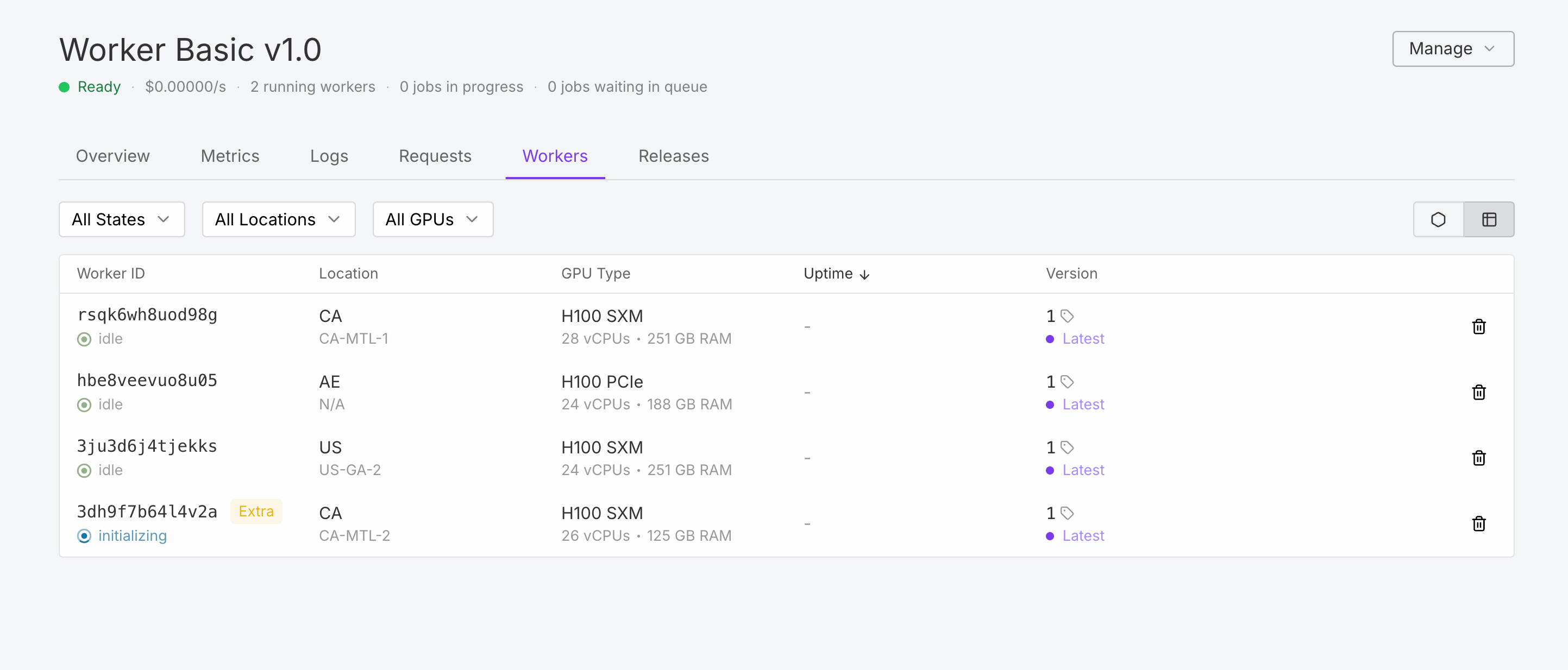
You can view the state of your workers using the **Workers** tab of a Serverless endpoint. This tab provides real-time information about each worker's current state, resource utilization, and job processing history, allowing you to monitor performance and troubleshoot issues effectively.
## Next steps
* [Build your first worker.](/serverless/workers/custom-worker)
* [Create a custom handler function.](/serverless/workers/handler-functions)
* [Learn how to deploy workers from Docker Hub.](/serverless/workers/deploy)
* [Deploy large language models using vLLM.](/serverless/vllm/overview)
* [Configure your endpoints for optimal performance.](/serverless/endpoints/endpoint-configurations)
## Build your first worker
[Follow this tutorial](/serverless/workers/custom-worker) for a step-by-step walkthrough of how to create and deploy a Serverless worker.
This guide walks you through the process of:
1. Creating a [handler function](/serverless/workers/handler-functions) to process your inputs.
2. Packaging your worker in a Docker container.
3. Deploying your worker to a Serverless endpoint.
4. Testing your worker locally and on the Runpod console.
## Worker configurations
When deploying a worker to a Serverless endpoint, you can configure various parameters:
* **GPU selection**: Choose the appropriate GPU type for your workload.
* **Worker count**: Set minimum and maximum number of workers.
* **Memory allocation**: Configure memory available to each worker.
* **Environment variables**: Set parameters for worker behavior.
* **Storage options**: Add [network volumes](/serverless/storage/network-volumes) for persistent storage between workers.
To learn more, see [Endpoint configurations](/serverless/endpoints/endpoint-configurations).
## Worker types
* **Active (min) workers**: "Always on" workers that eliminate cold start delays. The system charges you immediately but offers up to 30% discount. (Default: 0).
* **Flex workers**: "Sometimes on" workers that scale during traffic surges. They transition to idle after completing jobs. (Default: Max - Active = 3).
* **Extra workers**: Additional workers that the system adds during traffic spikes when Docker images are cached on host servers. (Default: 2).
## Worker states
Workers move through different states as they handle requests and respond to changes in traffic patterns. Understanding these states helps you monitor and troubleshoot your Serverless endpoints effectively.
* **Initializing**: The worker starts up while the system downloads and prepares the Docker image. The container starts and loads your code.
* **Idle**: The worker is ready but not processing requests. No charges apply while idle.
* **Running**: The worker actively processes requests. Billing occurs per second.
* **Throttled**: The worker is ready but temporarily unable to run due to host machine resource constraints.
* **Outdated**: The system marks the worker for replacement after endpoint updates. It continues processing current jobs during rolling updates (10% of max workers at a time).
* **Unhealthy**: The worker has crashed due to Docker image issues, incorrect start commands, or machine problems. The system automatically retries with exponential backoff for up to 7 days.
You can view the state of your workers using the **Workers** tab of a Serverless endpoint. This tab provides real-time information about each worker's current state, resource utilization, and job processing history, allowing you to monitor performance and troubleshoot issues effectively.
## Next steps
* [Build your first worker.](/serverless/workers/custom-worker)
* [Create a custom handler function.](/serverless/workers/handler-functions)
* [Learn how to deploy workers from Docker Hub.](/serverless/workers/deploy)
* [Deploy large language models using vLLM.](/serverless/vllm/overview)
* [Configure your endpoints for optimal performance.](/serverless/endpoints/endpoint-configurations)